Back to Blog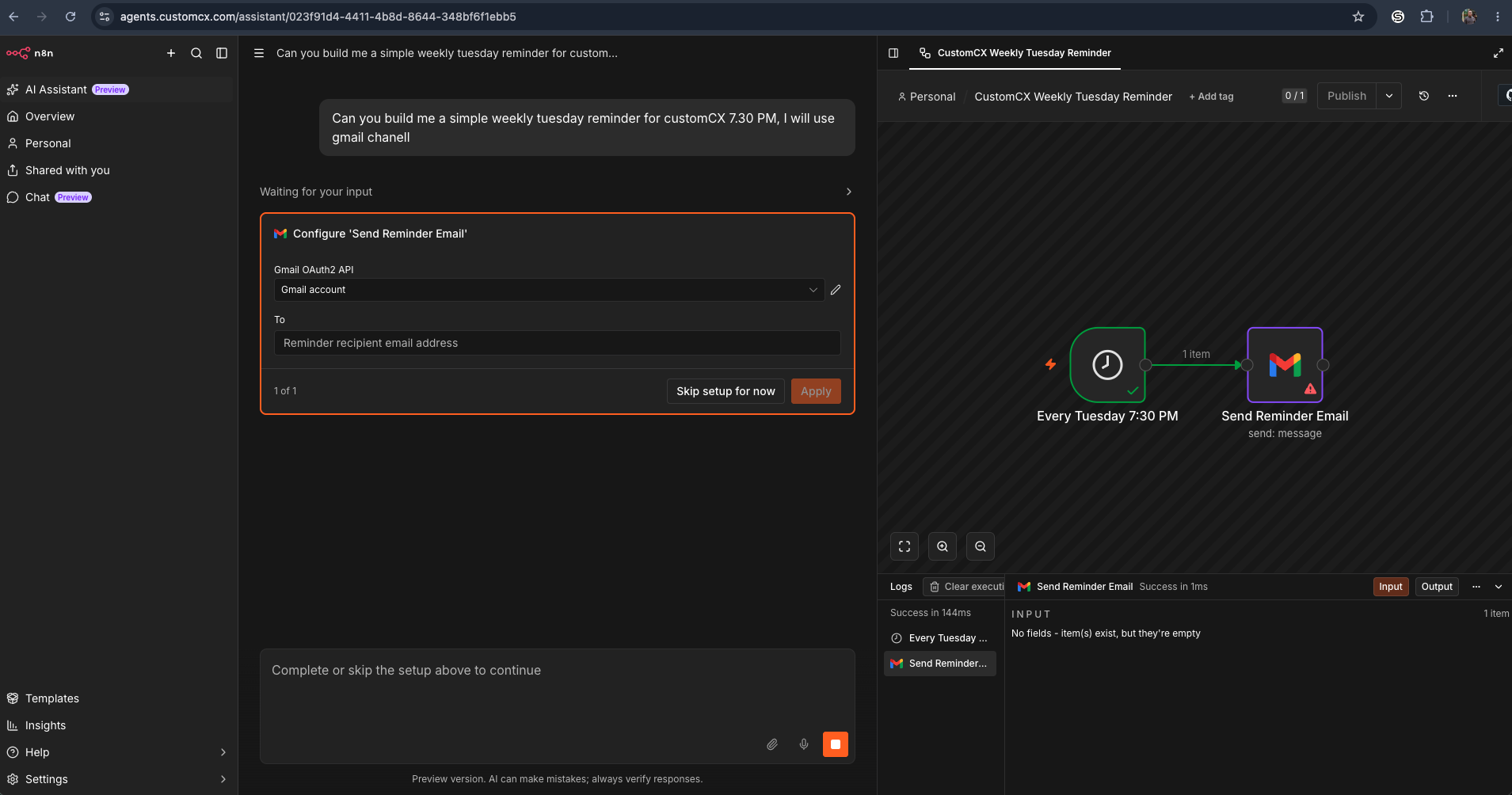 Automation
n8n AI AssistantVibe code n8n workflowsn8n
Adding the n8n AI Assistant to a Self-Hosted Instance (Docker + Traefik)
July 28, 2026
This continues the earlier guide on self-hosting n8n on Google Cloud with Docker Compose and Traefik. It assumes that instance is already running.
Step 1: Open your project directory
cd ~/n8n-composeYou should see:
.env
docker-compose.yml
local-files/

if you dont see it, run: ls -la
Step 2: Add the AI Assistant environment variables
sudo nano .envAppend these lines at the bottom:
N8N_ENABLED_MODULES=instance-ai
N8N_INSTANCE_AI_MODEL=anthropic/claude-opus-4-8
N8N_INSTANCE_AI_MODEL_API_KEY=YOUR_ANTHROPIC_API_KEY

N8N_INSTANCE_AI_SANDBOX_ENABLED=true
N8N_INSTANCE_AI_SANDBOX_PROVIDER=daytona
N8N_INSTANCE_AI_SANDBOX_IMAGE=daytonaio/sandbox:0.5.3-slim

DAYTONA_API_URL=https://app.daytona.io/api
DAYTONA_API_KEY=YOUR_DAYTONA_API_KEY
Replace both API keys with your own. Save with Ctrl+O, Enter, then exit with Ctrl+X.
Step 3: Update docker-compose.yml
Open the file:
sudo nano docker-compose.ymlIn the n8n service's environment: section, add:
- N8N_ENABLED_MODULES=${N8N_ENABLED_MODULES}
- N8N_INSTANCE_AI_MODEL=${N8N_INSTANCE_AI_MODEL}
- N8N_INSTANCE_AI_MODEL_API_KEY=${N8N_INSTANCE_AI_MODEL_API_KEY}
- N8N_INSTANCE_AI_SANDBOX_ENABLED=${N8N_INSTANCE_AI_SANDBOX_ENABLED}
- N8N_INSTANCE_AI_SANDBOX_PROVIDER=${N8N_INSTANCE_AI_SANDBOX_PROVIDER}
- N8N_INSTANCE_AI_SANDBOX_IMAGE=${N8N_INSTANCE_AI_SANDBOX_IMAGE}
- DAYTONA_API_URL=${DAYTONA_API_URL}
- DAYTONA_API_KEY=${DAYTONA_API_KEY}
Save and exit.
Step 4: Restart n8n
sudo docker compose up -dStep 5: Verify the module loaded
sudo docker logs n8n-compose-n8n-1 --tail 50Look for lines similar to:
[Instance AI] 'instance-ai' module is experimental...
Sandbox: enabled=true provider=daytona
That confirms the AI Assistant module is active.
Notes
- Keep API keys in
.env, never hardcoded indocker-compose.yml. - If you're on an older n8n image, pull the latest before restarting:
sudo docker compose pull
sudo docker compose up -d
That's it. Your self-hosted instance now has the AI Assistant enabled.