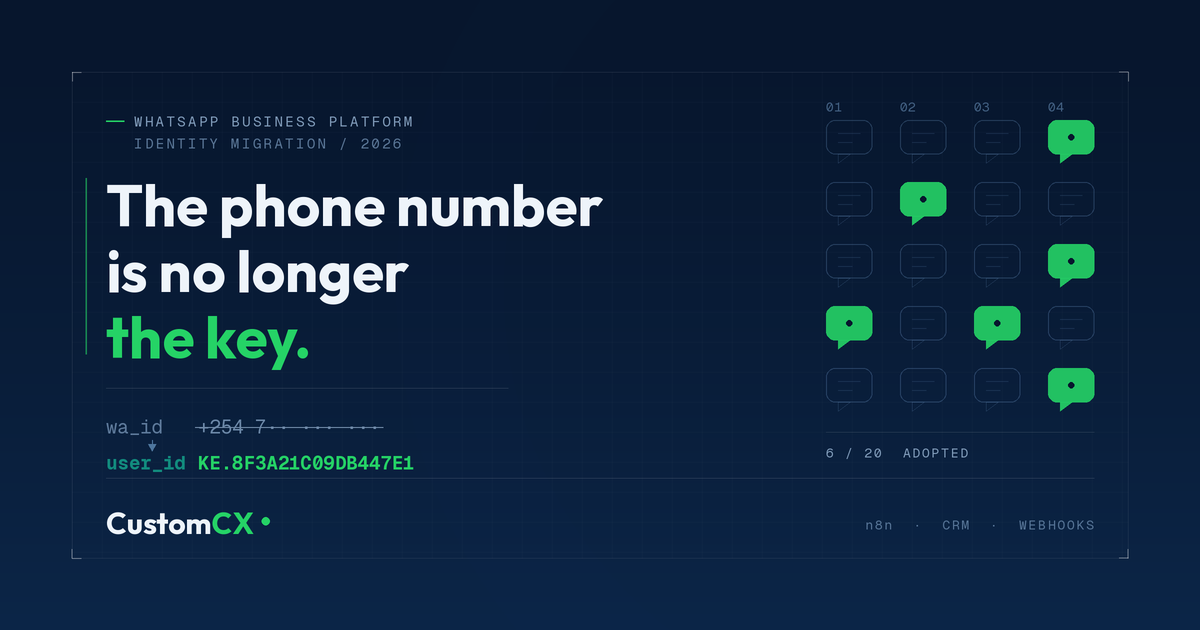
WhatsApp has Hiden Your Customers' Phone Numbers. Here Is How to Fix Your CRM and n8n Workflows
August 12, 2026
For years, every WhatsApp automation any of us has built rested on one quiet assumption: a message arrives, and a phone number arrives with it. That number became the record ID, the CRM lookup key, the deduplication check, the delivery contact and, in a lot of Kenyan setups, the same number the customer paid from on M-Pesa.
Meta is removing that guarantee.
With WhatsApp Usernames rolling out, customers can display a username instead of their number and keep the number hidden from the businesses they message. When that happens, the wa_id and from fields your workflows depend on can arrive empty. Not renamed. Not reformatted. Absent.
What replaces it
Meta now sends a Business-Scoped User ID, or BSUID, in every incoming message webhook. You will find it as user_id in the contacts object and from_user_id on the message itself.
Three properties matter for how you design around it:
- It arrives in every message webhook, whether or not the customer has adopted a username. You can start reading it today.
- It is stable. Once a BSUID exists for a given customer and business pair, it stays valid as a lookup key.
- It is scoped to your Meta Business Portfolio. The same customer messaging two different portfolios produces two different BSUIDs, so you cannot reconcile them across businesses.
Here is the whole point of this post, and if you read nothing else, read this:
The phone number is no longer an identity. It is now an attribute, and an optional one. Your system needs an identity that does not depend on it.
The two-minute fix for low-code builders
If you run n8n workflows that take a WhatsApp webhook and push straight into HubSpot, Zoho, Salesforce or a Google Sheet, and the phone number is what you map into the lookup field, those runs will start returning nothing for username adopters. Nothing found means the node either errors out or quietly creates a duplicate ghost record, depending on how you configured it. The silent version is the worse one, because the workflow keeps reporting success while your contact list fills with strangers who are actually existing customers.
Open the workflow and change what you are mapping.
Stop using this as your lookup key:
{{ $json.contacts[0].wa_id }}Start capturing this:
{{ $json.contacts[0].user_id }}One note on the path. If you are using n8n's WhatsApp Trigger node, the payload sits at the root, so the expressions above are correct as written. If you are catching the webhook with a plain Webhook node instead, everything is nested one level deeper under body. Check which one your workflow uses before you edit.
That single change stops the bleeding. It does not finish the job, because you still have thousands of historical records keyed on phone numbers that a BSUID lookup will never match. That is what the rest of this guide is for.
How to Structure Your CRM Database Now (The Schema Shift)
To stop your systems from breaking, you must change your database architecture from a Single-Key system to a Dual-Key system.
OLD SCHEMA (Broken):
[ Phone Number (Primary Key) ] ──► [ Customer Data ]

NEW SCHEMA (Resilient):
[ Internal Record ID (Primary Key) ]
   ├──► [ user_id / BSUID ] (The new stable anchor for webhooks)
   ├──► [ wa_id / Phone ]  (Optional field; empty for net-new username users)
   └──► [ Customer Data ]
The mistake to avoid is swapping one single key for another. If you make the BSUID your sole primary key, you will split the identity of every existing customer who later messages you from a username. They get a second profile, their chat history stops following them, and your agents lose the context they were relying on. You have not fixed the fragility, you have just moved it onto a different column.
Your internal Record ID is the anchor. BSUID and phone number both hang off it, and either one can be missing without the record falling apart.
If you are working in a CRM rather than a raw database, this is a custom field, not a rebuild. In HubSpot, add a WhatsApp BSUID property on the contact object and index your search on it. In Zoho or Airtable, same idea. The contact record already has its own internal ID, so you are giving it a second lookup path rather than replacing the first.
How to handle this in n8n (The Lookup Logic)
When a webhook hits your n8n workflow, your CRM Lookup Node should follow this logic:
- Step 1: Search your database or CRM using the incoming
user_id. - Step 2 (If found): Route the chat to the existing profile. Done.
- Step 3 (If NOT found): Check if Meta included a
wa_idin the payload, which still happens for legacy users who have not hidden their number yet. Ifwa_idis present, search your database bywa_id. If you find a match, update that row by saving the newuser_idto it. - Step 4 (If still NOT found): Treat them as a brand-new customer. Create a new record using the
user_idas their main identifier.
Step 3 is the part people skip, and it is the one that actually saves your database. Every time a legacy customer messages you during the transition window, you get one free opportunity to write their BSUID onto their existing row. That is a self-healing migration. Leave that step out and you are choosing to build a duplicate pile instead.
Practically, in n8n this is an If node after your first search, with the false branch running a second search and an update, and both branches merging back into whatever your workflow does next. Configure your CRM node to update rather than create on the healing path, or you will undo the whole point of it.
The fallback for when neither key matches
There is one more case worth handling if you run a heavier custom backend. A customer with a long history with you messages from a username for the first time, and their BSUID is unknown to your system while their phone number is absent from the payload. On paper they look brand new. They are not.
Meta maintains a portfolio contact book that pairs phone numbers and BSUIDs from past interactions. Before you create a fresh record, send an asynchronous request to the Contact Management endpoint. If that customer has an existing relationship with your business phone number, Meta can return the historical wa_id, and you can merge rather than duplicate.
This is an optional refinement, not a prerequisite. If you are running a lean n8n stack, the four-step logic above is enough. If you are running a production system where a duplicated customer record has real cost, build this in.
The status receipt trap
Inbound messages get all the attention, but your outbound receipts change too, and this is the one most people will miss. Nothing visibly breaks. Delivery reports keep arriving. They just stop matching anyone.
In a status webhook, statuses[0].recipient_id has always carried the customer's phone number. For a username-masked customer, that field can be absent. Meta puts the BSUID in the statuses block as recipient_user_id, and in the contacts block as user_id, whether the original message went out to a phone number or to a BSUID.
Two behaviours to build around:
- Failed statuses carry the least identity. On a failure, Meta drops the contacts block entirely, and omits
recipient_user_idif you had sent to a phone number. The payload you most need to route to a customer record is the thinnest one you will receive. - The identifier shape is not consistent. Inbound gives you a country-code prefixed string like
KE.4617921561763757. Depending on your provider and which field you read, a status can hand you a bare numeric string like1960250198158534with no prefix at all.
If your workflow routes failure alerts using a regex that expects a phone number or a country-code prefix, that routing breaks without throwing a single error. Read recipient_user_id first, fall back to recipient_id, and normalise whatever you get back to your internal Record ID before any downstream logic touches it.
Error 131026, message undeliverable, is the one you will most often be trying to route. Make sure it still lands on the right customer.
Three things that catch people out
You cannot send OTPs to a BSUID. Authentication templates, including one-tap, zero-tap and copy-code, still require a real phone number. If your onboarding or login flow sends verification codes over WhatsApp, a username-only customer cannot complete it. You will need to request their number in the conversation before that flow can run. Watch for error 131062, which is Meta telling you the message type does not accept a BSUID recipient.
A BSUID can change. If a customer changes the phone number attached to their WhatsApp account, their BSUID regenerates and Meta signals it through a user_id_update webhook field and a user_changed_user_id system message, carrying both the old and the new value. If nothing in your workflow listens for that event, your stable anchor quietly stops matching. Add a small handler that catches it and updates the row.
The number does not vanish for everyone at once. Phone numbers keep appearing for customers you have exchanged messages with recently and for anyone already in your portfolio contact book. This is why the transition feels harmless for a while and then suddenly is not. Build for the absent case now, while your test traffic still mostly includes numbers.
Why this hits harder in Kenya than in most markets
In a lot of markets WhatsApp is a support channel sitting next to a proper storefront. Here it frequently is the storefront. Orders arrive as voice notes and photos, quotes go out as chat messages, and the phone number does triple duty as the customer ID, the M-Pesa reconciliation reference and the boda delivery contact.
So when the number disappears from the payload, an SME does not just lose a CRM key. The join between the chat thread, the payment and the delivery breaks at the same time. The businesses that will feel this first are exactly the ones running lean automations they set up once and have not touched since.
If that is you, the fix is still small today. It gets expensive once you are cleaning up months of duplicate records.
What to do this week
- Log an incoming WhatsApp webhook and confirm you can see
user_idin the payload. It should already be there. - Add a BSUID field to your contact object in your CRM or database and make it searchable.
- Update every workflow that maps
wa_idas a lookup key so it capturesuser_idas well. - Add the Step 3 healing branch so existing customers get their BSUID written on first contact.
- Check your status webhook handling. Read
recipient_user_id, fall back torecipient_id, and confirm failure alerts still map to a customer. - Check whether any of your flows send authentication templates, and plan how you will collect a phone number for customers who arrive without one.
None of this requires a rewrite. It requires opening workflows you have not looked at in months and changing what they treat as the truth.
I build WhatsApp to CRM automations for SMEs through CustomCX, and this is the kind of platform change that quietly takes systems down weeks after it lands. If you want a second pair of eyes on your workflows before it does, get in touch.